Admin Features
Items under the "Admin" group in the avatar menu are visible only to admin accounts (is_admin = true) — regular users don't see these entries. The account auto-created on first boot of a self-hosted instance is the admin; other accounts need to be promoted manually.
User management
Avatar menu → Users, manage login accounts for the whole BeeCount Cloud platform.
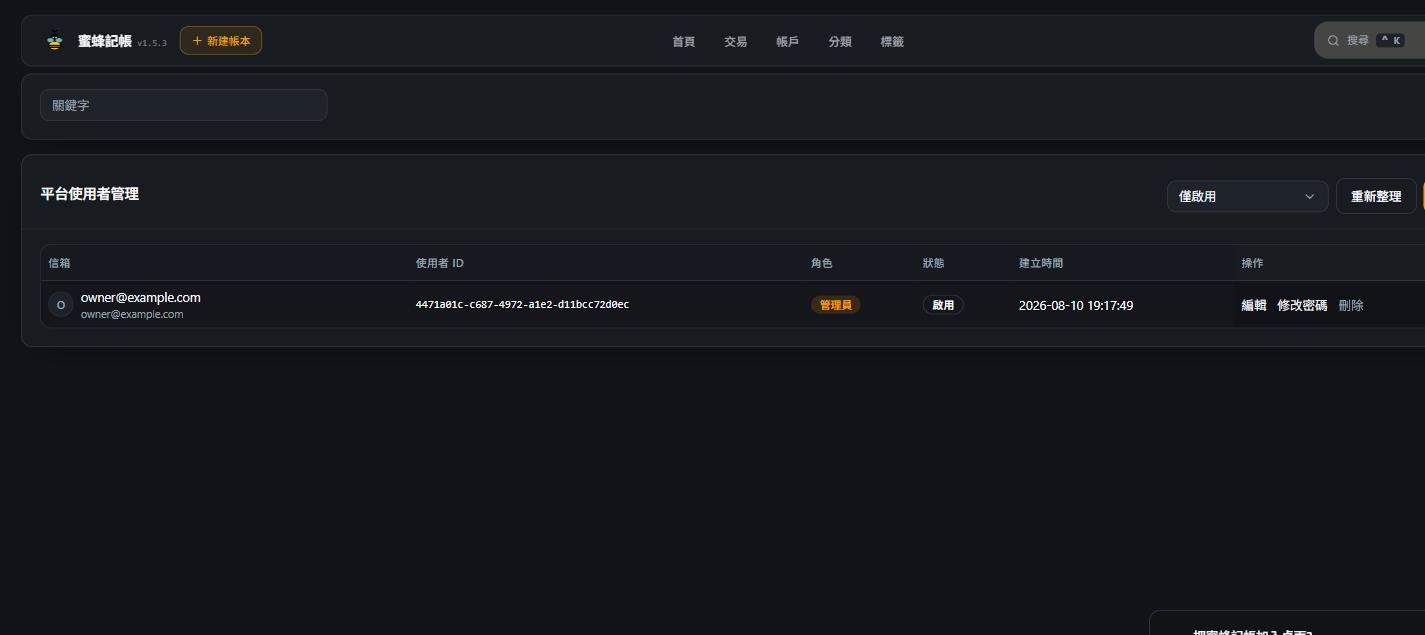
- View every user's email, user ID, role, status, and creation time
- Add user — enter an email + temporary password, then hand the credentials to them so they can sign in on the app or web
- Edit user info, reset passwords, disable or delete accounts
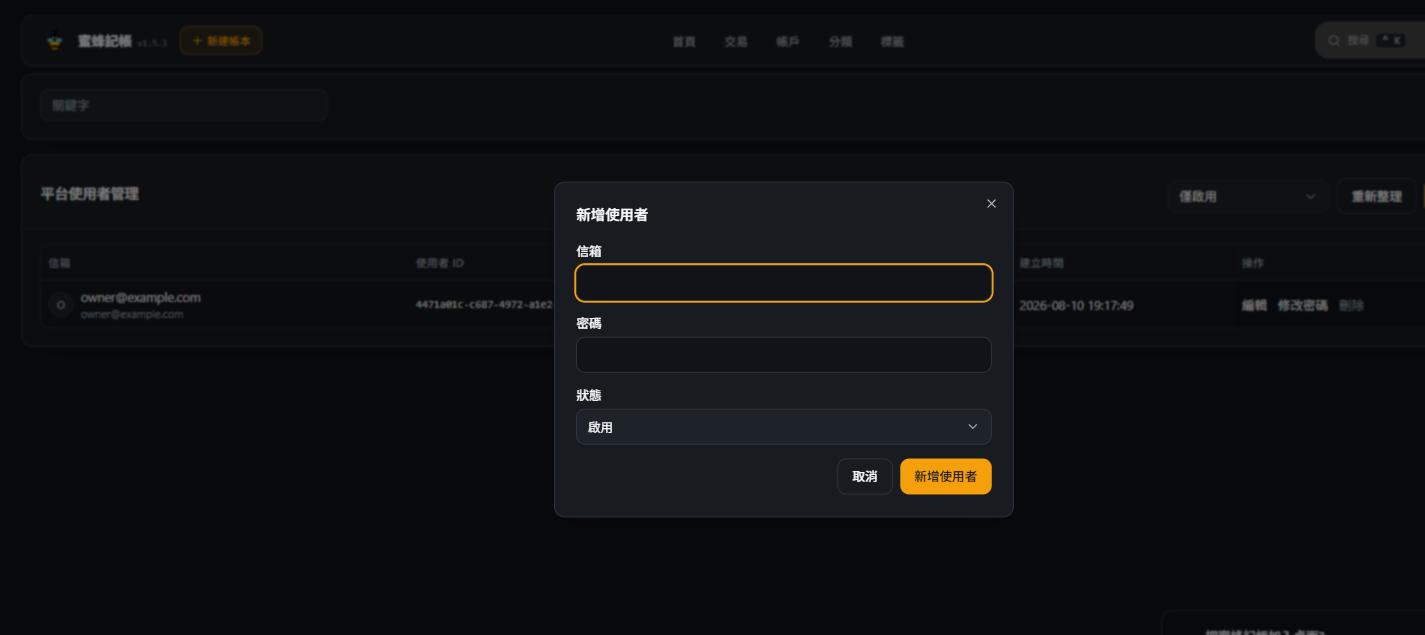
This page manages server-wide login accounts (one email + password each). If you just want family or friends to co-record on the same ledger, you don't need an account here — a shared ledger invite code is enough. Shared-ledger Owner/Editor roles are per-ledger and separate from the platform-level accounts managed here.
BeeCount Cloud doesn't support self-signup (to avoid abuse when exposed publicly) — new accounts can only be created here by an admin.
Health check
Avatar menu → Health, a quick glance at whether the server is healthy.
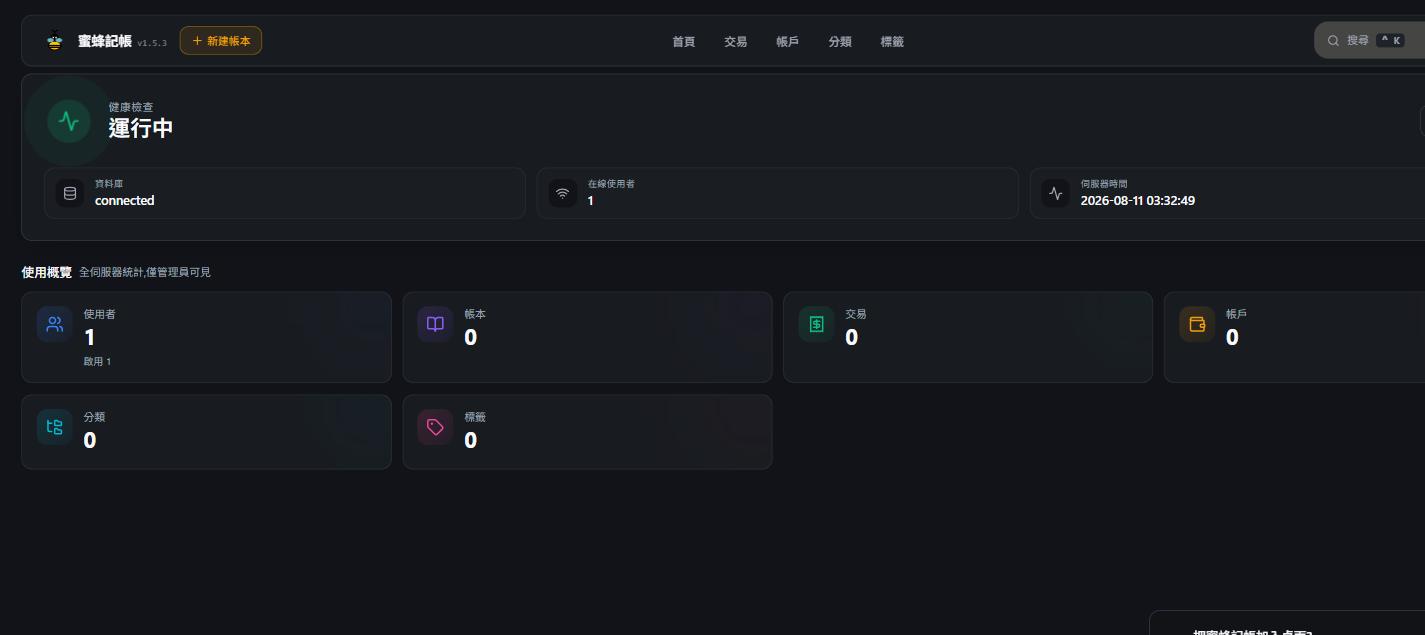
- Health check: database connection status, online user count, server time
- Usage overview (admin only): server-wide stats — users, ledgers, transactions, accounts, categories, tags
Handy for periodic checks that the server is running fine, or as a first stop when a user reports "sync isn't working" — rule out server-side issues before digging deeper.
Online devices
Avatar menu → Devices, lists every device currently signed in across the platform (admins can filter by user; regular users only see their own devices on the profile page).
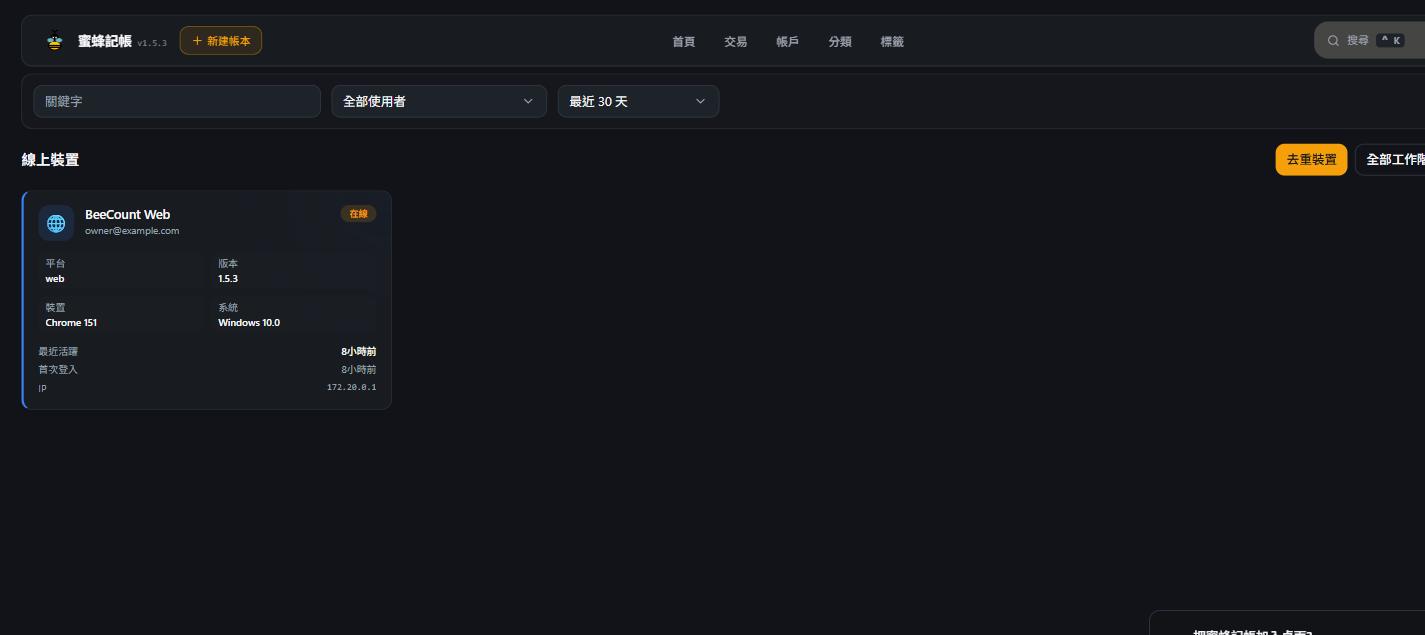
Each entry shows: platform (web / iOS / Android), client version, OS, last-active time, first sign-in time, and IP address. Admins can spot suspicious logins (an unfamiliar IP, say) and help revoke that device's session if needed.
Promoting an account to admin
The account auto-created on first boot already has is_admin = true. Granting admin to another account currently requires editing the database directly (the user_profiles.is_admin field) — see the BeeCount Cloud deployment docs and the related notes in Data cleanup.